
Designed for listening, not distractions
Everything you need to listen the way you want, from offline libraries to late-night sleep timers.
Local library first
Scan folders, browse by artist or album, and keep full control over where your audio lives. Supports playlists and M3U files.
Smart sleep timer
Set a timer, keep the current track to the end, or gently extend with a shake when you’re not quite asleep yet.
Radio & streams
Add your favourite radio stations and streaming URLs. AurisPlayer connects directly, without any extra accounts.
Built-in equalizer
Fine-tune sound with multiple bands and presets like bass boost, treble boost, and vocal focus.
Built for phones and tablets
Tablet support for couch listening
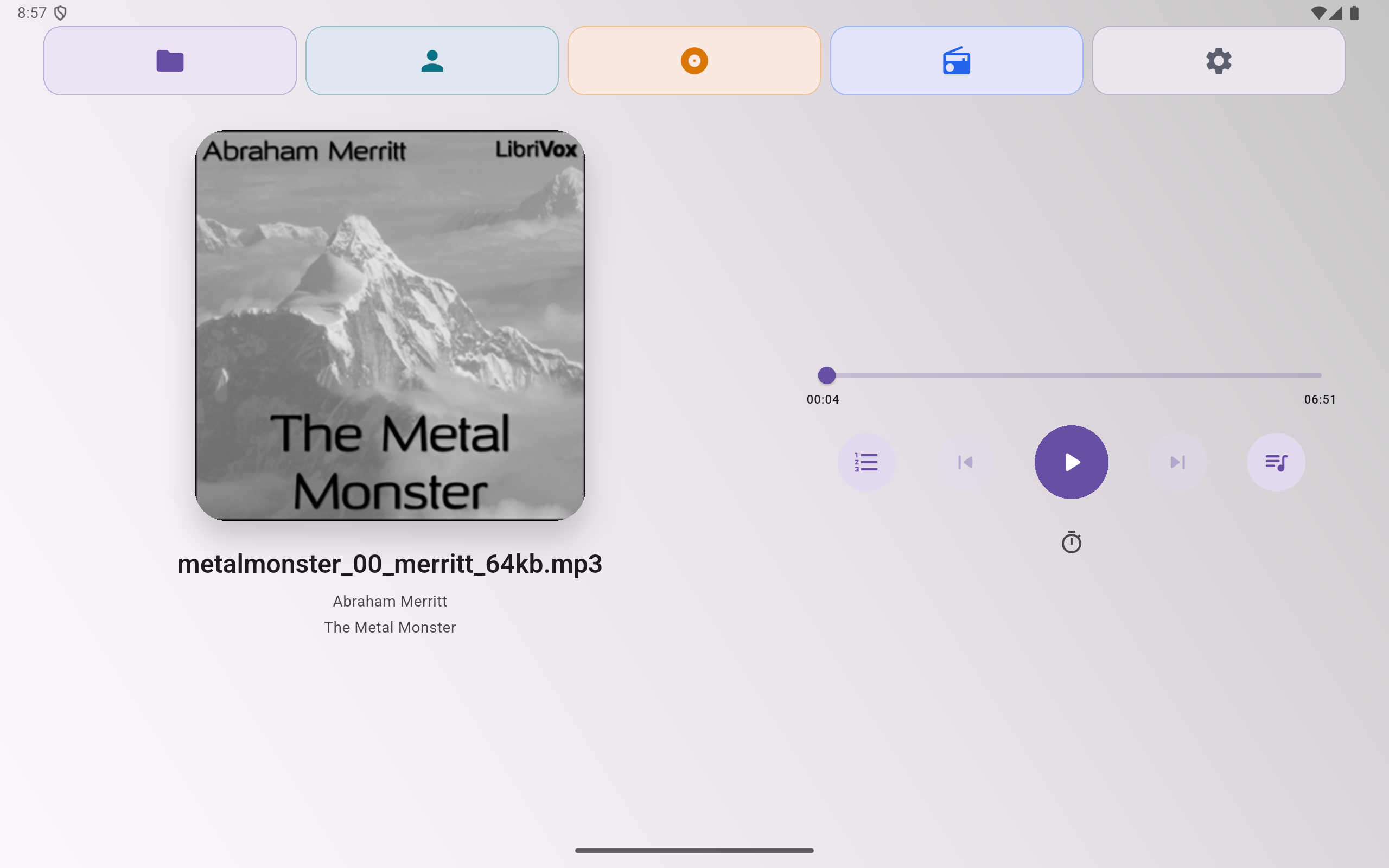
Landscape-friendly layouts, larger controls, and two-pane browsing make AurisPlayer comfortable on bigger screens.
- Adaptive UI that scales libraries and playlists across screen sizes
- Large playback controls you can reach from the desk or sofa
- Responsive equalizer and radio lists tuned for wide view
App screenshots
Real UI from the current Android build.
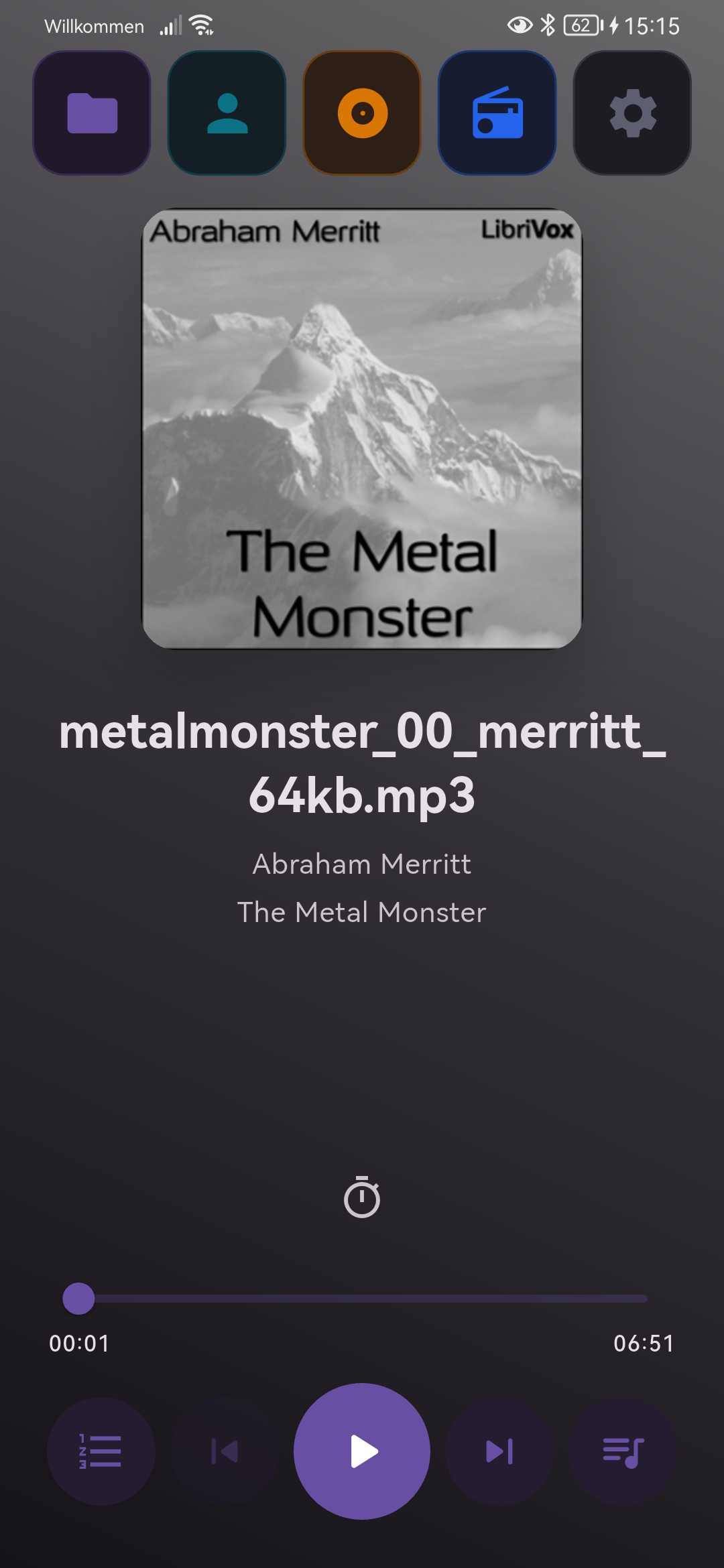
Now playing: clean playback screen with big controls and timer.
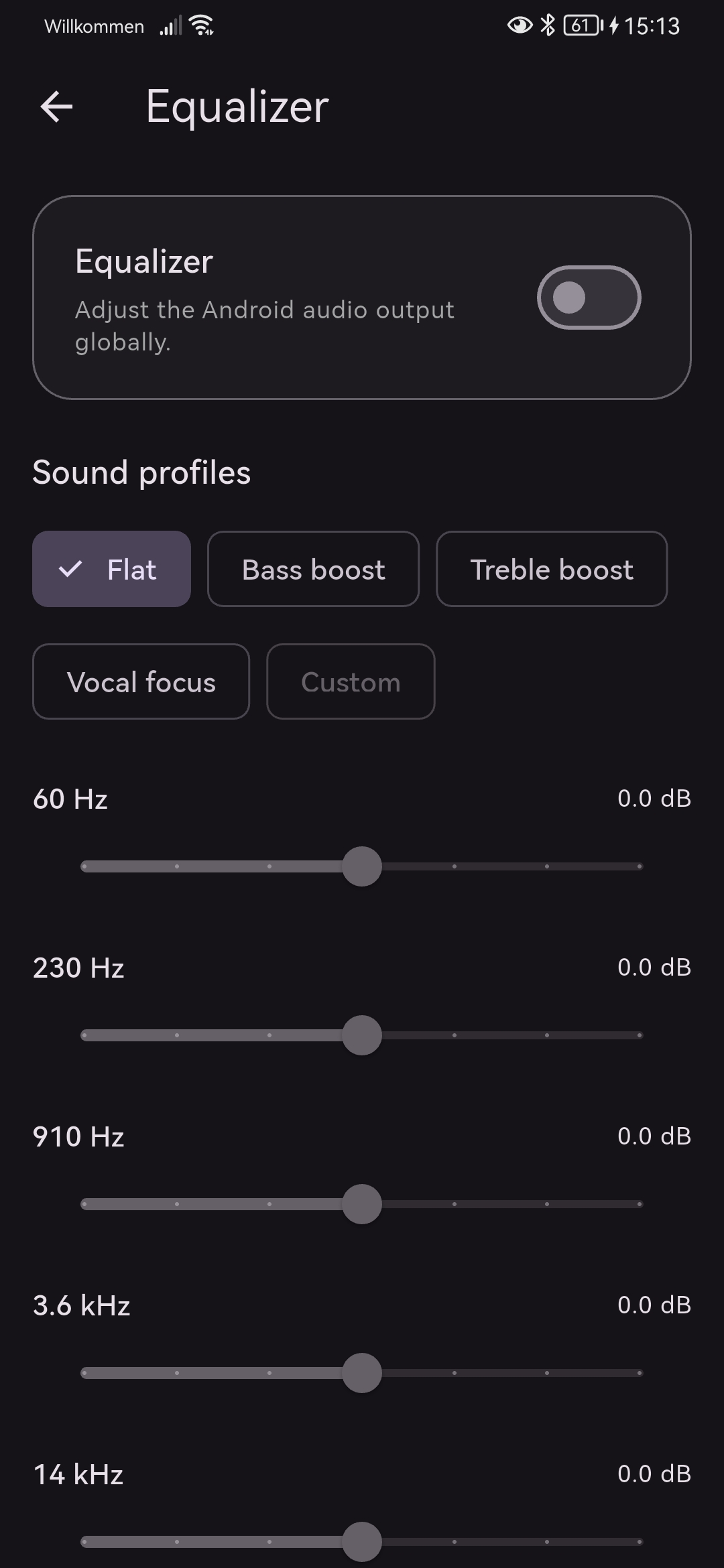 System-wide equalizer with presets and multi-band sliders.
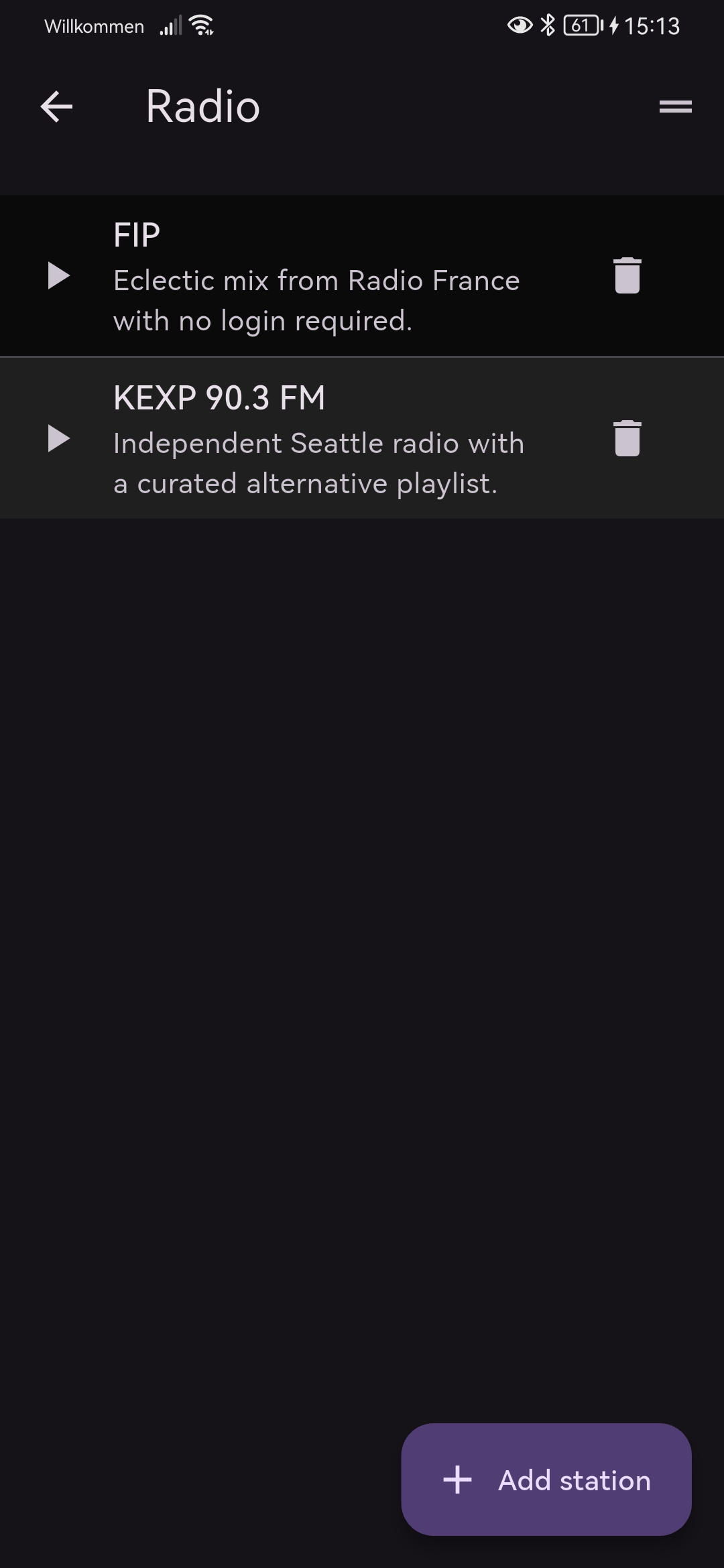 Saved internet radio stations, with descriptions and one-tap play.
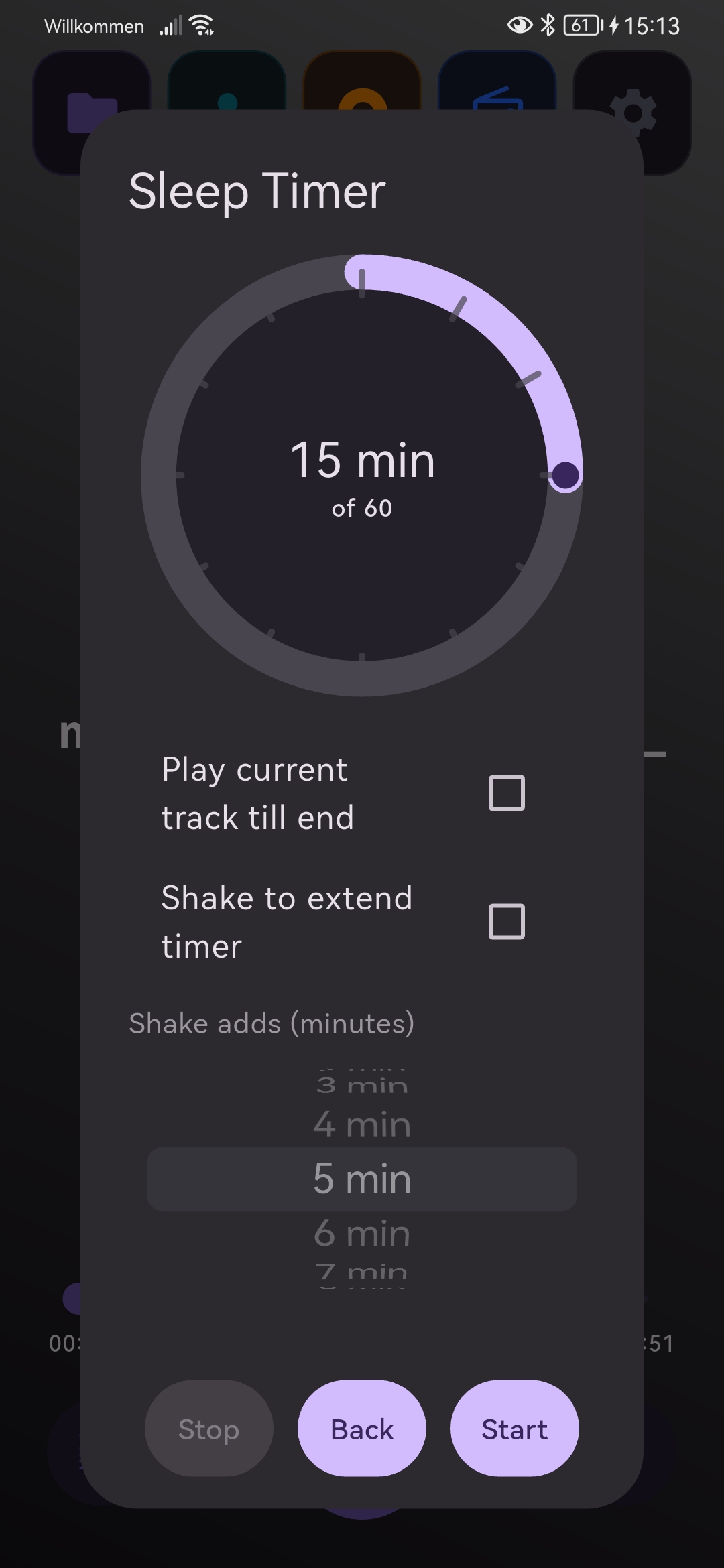 Sleep timer with shake-to-extend and per-minute adjustments.
Privacy & data safety
AurisPlayer is built to work offline and avoid collecting personal data.
Read the full privacy & data safety notice
# AurisPlayer Privacy & Data Safety

Last updated: 2025-11-19

## Overview
- AurisPlayer is an offline-first audio player. It does not require an account and does not include ads or analytics.
- No personal data is collected or shared by the developer. All library, playlist, and preference data stays on your device.
- Network use occurs only when you choose to stream audio from a URL or open an external streaming service; traffic in that case goes directly to the chosen provider, not to the AurisPlayer developer.

## What the app accesses and why
- **Local audio files and metadata**: Needed to read, list, and play the music you select from device storage and SD cards. Metadata (e.g., title, artist, album art) is used only for display in the app.
- **Playlists, streams, sleep timer, and settings**: Stored locally to remember your library organization, configured streams, and preferences (e.g., shake-to-add-5-minutes timer).
- **Streaming URLs you add**: Saved locally for quick access. The URL is sent only to the streaming endpoint to play audio.
- **Sensors (shake gesture)**: Used locally to extend the sleep timer when you shake the device; no motion data is transmitted.

## Android permissions used
- `READ_MEDIA_AUDIO`, `READ_EXTERNAL_STORAGE`, `WRITE_EXTERNAL_STORAGE`: Access your audio library on device/SD card to read and write playlists (M3U) and small JSON settings files.
- `INTERNET`, `ACCESS_NETWORK_STATE`, `CHANGE_NETWORK_STATE`, `ACCESS_WIFI_STATE`, `CHANGE_WIFI_MULTICAST_STATE`: Required for user-initiated streaming and to handle network connectivity when playing streams.
- `FOREGROUND_SERVICE`, `FOREGROUND_SERVICE_MEDIA_PLAYBACK`, `WAKE_LOCK`: Keep playback running reliably in the background.
- `POST_NOTIFICATIONS`: Show playback controls and timers in notifications.
- `requestLegacyExternalStorage` (manifest flag): Ensures compatibility with existing media libraries on older Android versions.

## Data handling
- **Storage**: Library index, playlists, custom streams, and preferences are kept on-device (internal app storage or app-managed files). They are not copied to any server by the app.
- **Sharing**: The developer does not receive or share your data. When you play a stream, audio traffic goes to the stream host you chose (and follows that host's privacy practices).
- **Retention**: Data persists only on your device until you delete it (remove playlists/streams) or uninstall the app.
- **Security**: No custom backend is used. Network requests for streaming rely on the protocol used by the stream (HTTPS when available; HTTP streams are allowed because some radios require it).
- **Scoped storage**: The app does not request “All files” (`MANAGE_EXTERNAL_STORAGE`). It writes playlists (M3U) and settings JSON only to user-selected or app-managed music folders.

## Data Safety (Google Play summary)
- Data collected: **None** by the developer (no personal or sensitive data categories are collected).
- Data shared: **None** by the developer.
- Optional data flowing off-device: Only audio traffic to the streaming endpoints you choose; no data is sent to the developer.
- Data deletion: Remove playlists/streams in-app or uninstall to clear all app data from the device.

## Third-party services and libraries
The app uses open-source Flutter packages for audio playback (`just_audio`, `audio_service`, `just_audio_background`), media scanning (`on_audio_query`, `file_picker`), preferences (`shared_preferences`), device/permission checks (`permission_handler`, `device_info_plus`), motion detection (`sensors_plus`), and external app launching (`url_launcher`). These are used locally and do not send your data to the AurisPlayer developer.

## Children’s privacy
The app is not directed to children under 13 and should be used by individuals with the ability to manage their own media content.

## Contact
For privacy questions or requests, contact email(mux.leet@gmail.com).